

Imagine you’re in the middle of a busy day at your veterinary hospital—juggling walk-ins, emergencies, wellness appointments, surgeries, and worried clients—when you suddenly realize you’re out of a critical medication or surgical supply. 😩
That’s not just inconvenient. It’s stressful, risky, and potentially costly.
Inventory mishaps like this can delay patient care, add pressure to an already overwhelmed team, and quietly chip away at your bottom line.
That’s why inventory management in a veterinary hospital isn’t just about staying organized. It’s about being ready for anything.
With the right tools in place—like thoughtful automation and smart tracking—you can stay stocked without the scramble. A well-run inventory system helps you avoid shortages, reduce waste, protect patients, and save time.
That’s where Instinct Stockroom comes in. Our built-in inventory management system works hand-in-hand with Instinct EMR to streamline your workflow. With real-time tracking, automatic syncing, and straightforward product management, Stockroom helps reduce the pressure on your team—so they can focus on delivering exceptional care.
First things first: Yes, setup takes a little effort.
Getting started with Stockroom means entering your products, adjusting quantities, and training your team—but the upfront work is worth it. 💪
Once it’s up and running, Stockroom does the heavy lifting behind the scenes, helping you maintain accurate inventory without the mental load.
Whether you’re already using Stockroom or just curious about how it can help, here are 5 simple, high-impact tips from our product experts to help you get the most out of Instinct Stockroom.
1. Start with Accurate Quantity on Hand (QoH) ✅
Before you start adding products, count what’s actually on your shelves. This will keep your records clean and save you from fixing stock errors later.
💡 Pro Tip: Count your QoH before entering products into Stockroom—it’s the easiest way to ensure everything lines up from day one.

2. Name Non-Consumables for Quick Identification 🗂
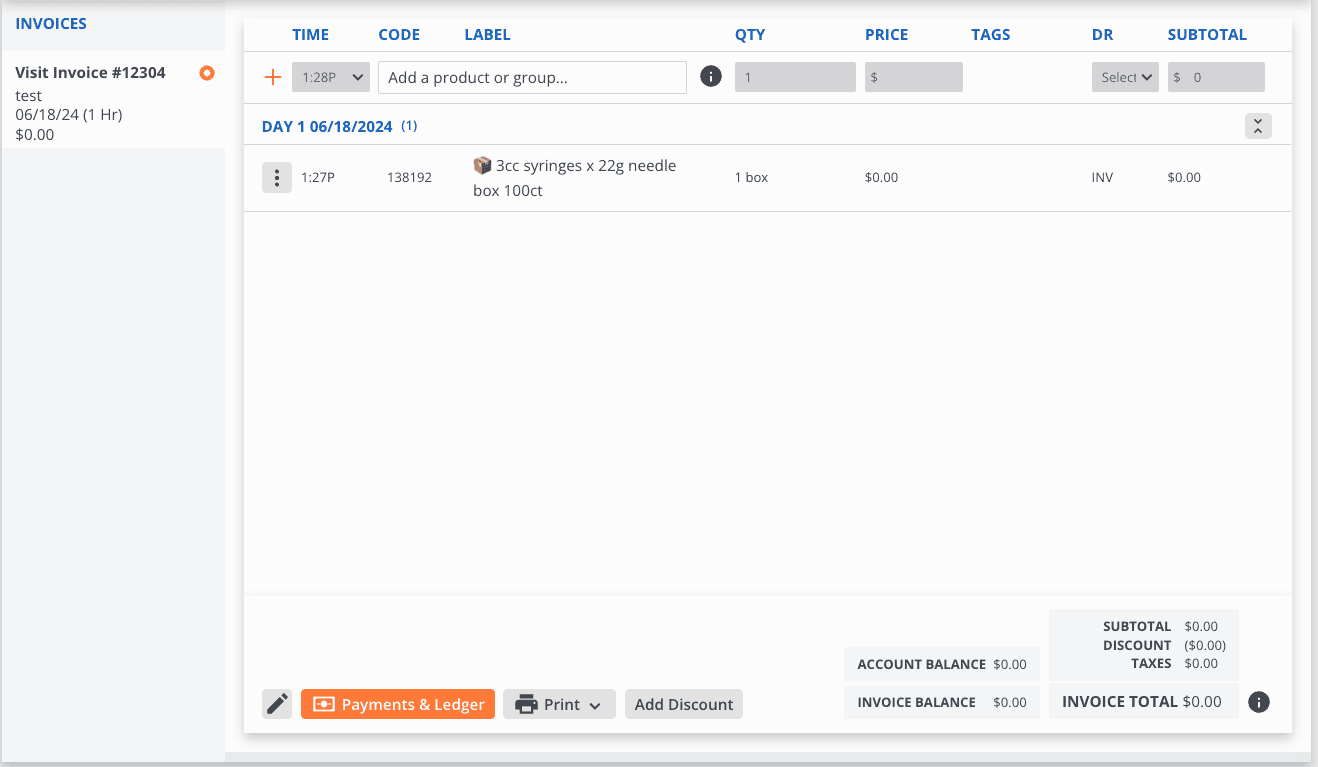
Stockroom handles everything from vaccines to IV pumps. To keep non-consumables (aka “white goods”) organized, give them names that stand out in your product list.
💡 Pro Tip: Use a prefix like “INV” or an emoji 📦 at the start of non-consumable product names to make them easily noticeable in searches and reports.

3. Don’t Forget Shipping and Tax 📦
Stockroom purchase orders don’t have dedicated fields for shipping costs or taxes, but you’ll still want to track those costs.
💡 Pro Tip: Create Inventory Shipping and Inventory Tax as custom products and add them to every PO. This helps you track true costs and makes it easier to analyze expenses in Stockroom Analytics.

4. Track by Box, Not by Each 📊
Tracking individual items like syringes or gauze pads can be tedious (and unnecessary). Instead, track them by box or case to ensure stock depletion is accurate.
💡 Pro Tip: Create an “Inventory Patient” account and order bulk items through this account. Close the invoice every 30 days to keep inventory records tidy.

5. Use Product Bundles for Non-Billable Consumables 🧪
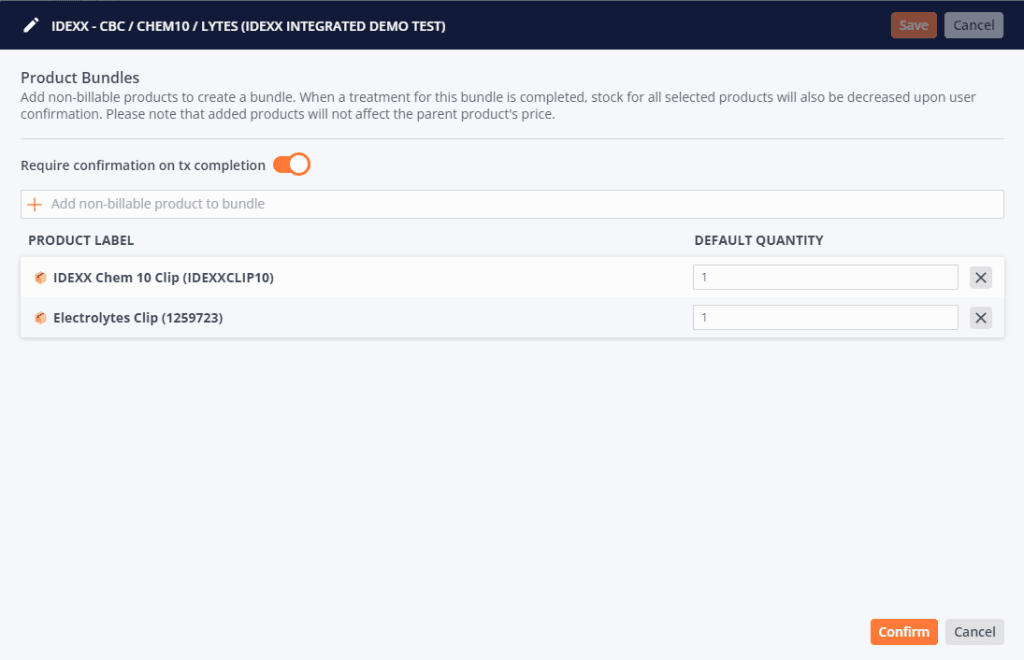
Some items—like lab clips used for in-house tests—aren’t billed directly to the client, but they still need to be accounted for. Stockroom lets you group these items into Product Bundles without adding charges to the patient’s invoice. That way, it’s easier to accurately manage inventory of multiple products related to specific activities.
💡 Pro Tip: Turn on “Require confirmation on tx completion” so staff can verify quantities used. It doubles as a pick list and a built-in inventory check.
Inventory That Works for You
A well-managed inventory isn’t just convenient—it’s essential for delivering high-quality patient care, reducing waste, and keeping your hospital running smoothly.
With Stockroom fully integrated into Instinct EMR, you get a system that works quietly in the background to help you stay stocked, organized, and ready for whatever walks through the door.
👉 Want to learn more about how Stockroom + Instinct EMR can help your hospital run smoother?
We work best with high-volume ERs, specialty hospitals, and advanced general practices that offer full-spectrum care.
If that sounds like you, let’s chat. Book a demo and see how Instinct can help your team do their best work.
